

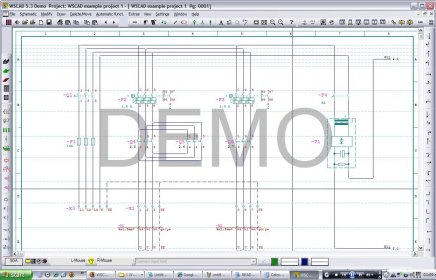
This is an excellent tool for circuit design to create circuit diagrams for control, automation, measuring and regulating equipment, hydraulics, pneumatics, power engineering, electronics, control cabinet layouts and other issues. You can install one of three different modules: Basic - for small projects with no major alterations; Compact - for small to medium-sized projects; and Professional - for extensive functions to create of projects. All modules are compatible.
The general schematic features include drawing pages, sub pages, import, and export projects. You can see dimensions, add text boxes, and browse terminals, cables, materials, and line names. Also you can create floor plans of electrical installations and layers. Between the drawing functions you can use symbols from standard IEC 40719 or IEC 61346, draw pins and sockets, create constructions lines, project wizard for add-ons, etc. There are automatic functions for numbering symbols, generating cross references, line names, control cabinet construction, cable connector manager, etc. You can import DWG/DXF with layer selection, parts data via ECAD interface, ASCII, Excel, Access, SEQ lists for PLC modules (Programmable logic controller). And export DWG/DXF, images BMP, PCX, PNG, VNS, UGLS/UGS, and SEQ lists for PLC modules as Excel.
Recommended hardware requirements: OS Win XP, 3GHz, 512MB Ram, 1GB HD, and 256MB video.




Comments